

SSD for Mac Mini M4
Select Capacity
Quantity
Total
€399.30
incl. 21% VAT
Payment Methods Accepted
Estimated Delivery
Free toolkit included: Torx T3, T5, T8 + opening pick
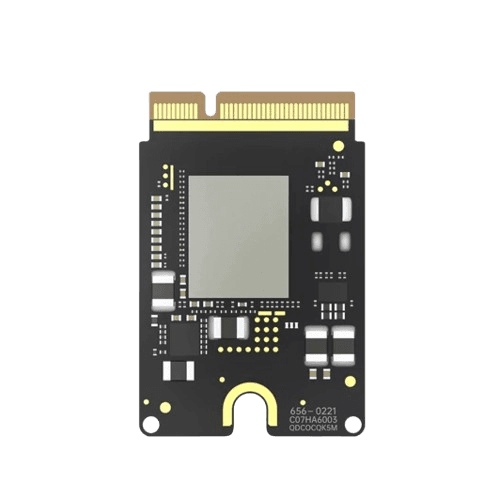
Product gallery
Same Quality as the Original, 60% Lower Price
Complete Market Comparison
Cheap alternatives, Apple official, and our 10-layer SSD side by side
With a TBW rating of about 1,200, the 2TB SSD lasts 10 to 100 years depending entirely on your daily write volume.
* Reliability comparisons reflect general PCB engineering characteristics, not guaranteed outcomes; individual results vary.
** Apple prices are Apple's own Mac Mini M4 storage upgrade prices as published on apple.com/nl, checked 10-06-2026; Apple may have changed them since. Speed figures for our module are our own measurements (Blackmagic Disk Speed Test v3.4). Apple is a trademark of Apple Inc.
Why Our SSD is Faster
Premium 10-Layer PCB
Advanced circuit design reduces signal interference and heat
Premium NAND Flash
Quality NAND from established manufacturers, tested for full macOS compatibility
Optimized Controller
Perfectly tuned for Mac Mini M4 architecture
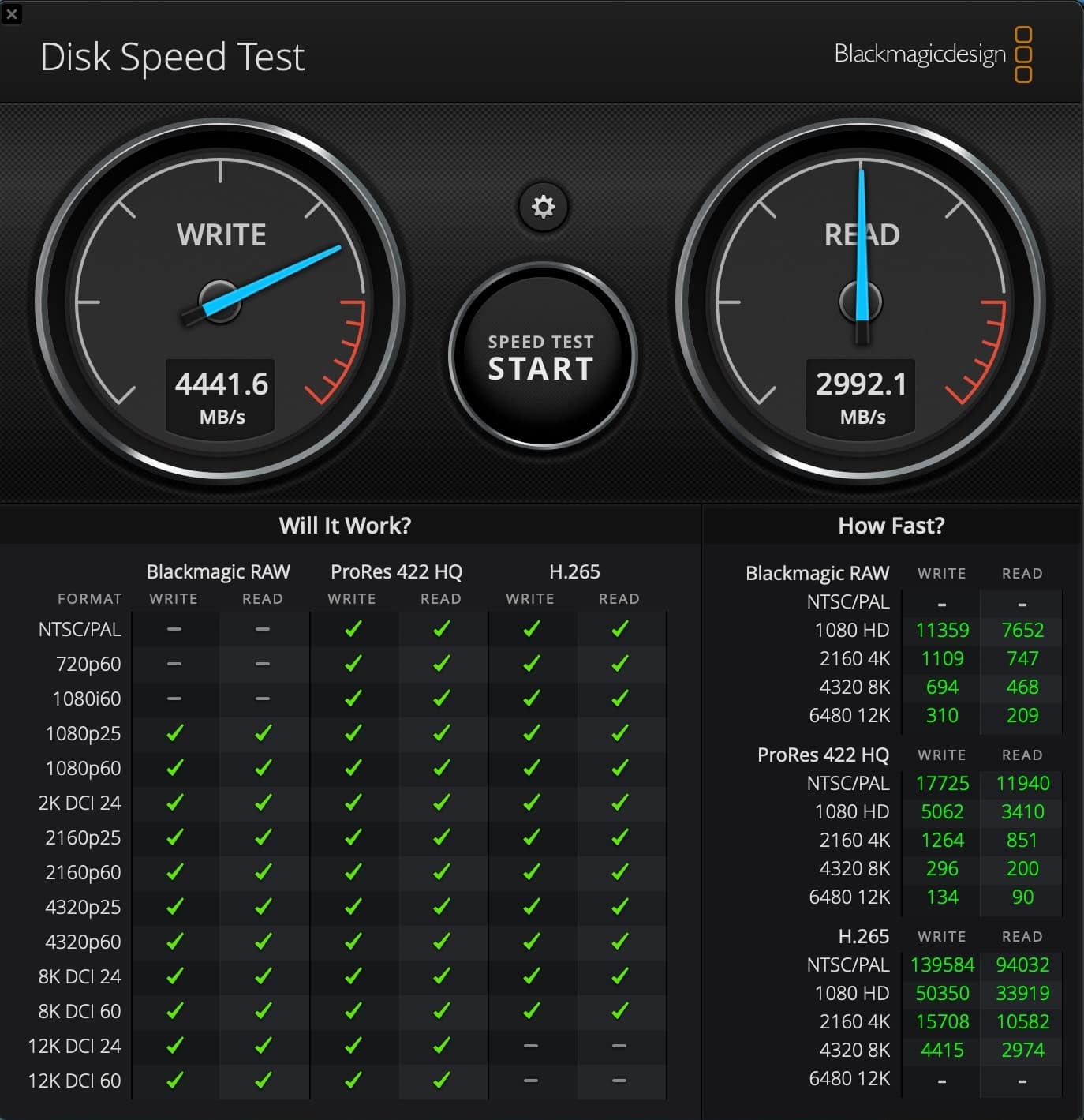
* Speed test results from Blackmagic Disk Speed Test v3.4 on Mac Mini M4 (16GB RAM, macOS 15.2). Actual speeds may vary based on system configuration and workload.
PCB Layer Comparison
More PCB layers generally mean better heat handling, stability, and longevity. Compare the three grades below.
4-Layer PCB
Budget SSDs
Only 4 layers
Cheaper SSDs can stop working within months
8-Layer PCB
Most other suppliers
8 layers
Good quality, but not the original design
10-Layer PCB
Our Premium 10-Layer Upgrade
10 layers - same as the original
Original-grade SSD
What PCB Layers Do
Power & Signal Integrity
More layers allow dedicated power and ground planes, which means cleaner power delivery, less electrical noise, and faster, more stable data transfer between NAND chips.
Heat Management
Additional copper layers act as heat spreaders, dissipating thermal energy across the entire PCB. This prevents hot spots and extends the lifespan of NAND flash chips.
EMI Shielding
Electromagnetic interference causes data corruption and system instability. 10-layer PCBs have internal ground planes that shield signals from EMI, preventing the black screens that come with poor shielding.
Longevity & Reliability
The original module uses 10 layers for a reason: more layers mean a longer lifespan. Cheap 4-layer boards are more likely to fail early and put your data at risk.
2TB in Real Terms
Real-world examples of what you can store
256GB Base Model
What Apple gives you
- •~40 apps (6GB each)
- •~50,000 photos
- •~60 hours of 4K video
- •Constant storage management
2TB Upgrade
What you get with our SSD
- ~330 apps (6GB each)
- ~400,000 photos
- ~500 hours of 4K video
- Never worry about storage again
Installation Timeline - What to Expect
Total time: 75-120 minutes from start to finish
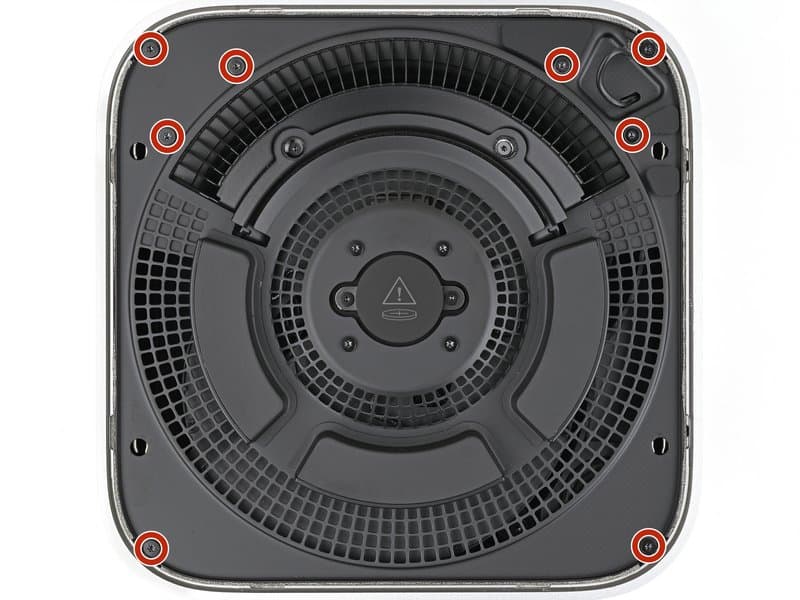
Disassembly
Remove bottom cover, inner plate, and fan to access SSD slot
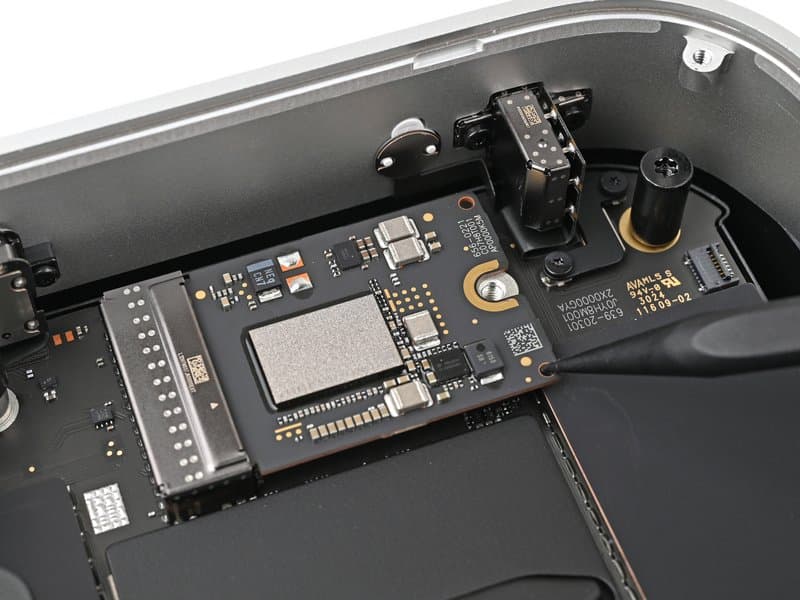
SSD Replacement
Remove old SSD screw, swap modules, reassemble Mac Mini
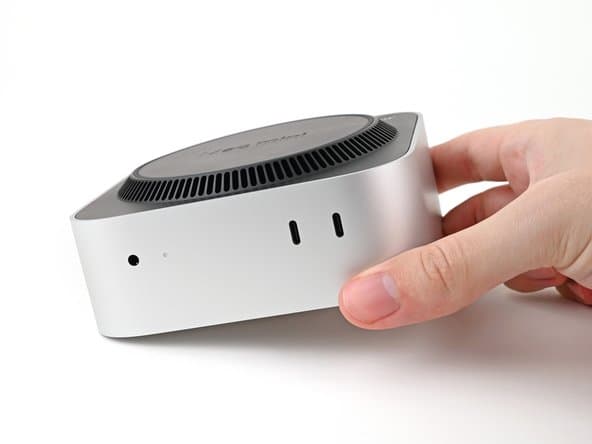
Connect to Second Mac
Download Apple Configurator, connect via USB-C cable
DFU Mode & Restore
Enter DFU mode, restore macOS via Apple Configurator
Setup & Migration
Complete macOS setup, restore from Time Machine backup
Need Installation Help?
View our detailed step-by-step guide with real photos, or contact our support team.
Follow instructions, basic familiarity with hardware
Requires patience, small screws, and precise handling
Doable with Torx set and careful attention
100% Tested Before Shipping
Your guarantee of quality - Every SSD is manually tested
Many sellers ship straight from the factory without testing. We install and test every SSD before it reaches you, so you know it works on arrival.
Our Testing Process
Physical Installation
Each SSD is installed in an actual Mac Mini M4 to verify proper fit and connection
Full System Restore
We perform a complete macOS installation using Apple Configurator to ensure compatibility
Performance Testing
Speed tests verify the SSD achieves full 4400MB/s write and 3000MB/s read speeds
Burn-in Test
Extended stress testing to identify any potential early failures before shipping
We've tested every SSD ourselves before it ships.
Frequently Asked Questions
Why is your SSD €399.30 when I can find cheaper SSDs online?+
Those cheap SSDs use 4-layer PCBs with a higher risk of early failure. They can suffer from EMI interference and poor heat dissipation, and may use lower-grade NAND. Our 10-layer PCB matches the build quality of the original module, uses quality NAND flash, and is built for long-term reliability. Pay €399.30 once, or risk replacing a cheaper SSD when it fails.
What's the difference between 4-layer, 8-layer, and 10-layer PCBs?+
More layers generally mean better quality. 4-layer (budget SSDs): poor EMI protection, overheating, data corruption, and a higher risk of early failure. 8-layer: better than 4-layer, but a custom design that doesn't match the original board. 10-layer: matches the 10-layer build of the original module for strong reliability and performance, built for a 10-100 year lifespan.
Why not just buy from Apple for €1000?+
Our SSD matches the performance of the original module: a 10-layer PCB design, quality NAND flash, and 4400MB/s write / 3000MB/s read. We sell it for €399.30 instead of €1000 and test each unit before shipping, so you pay 60% less for the same result.
Cheap SSDs have a reputation for failing. How are you different?+
Early failures usually come from 4-layer PCB SSDs sold by budget vendors. We use only 10-layer PCBs, the same layer count as the original module, and test every unit before shipping.
How long does installation take?+
The physical installation takes about 45-60 minutes using the tools included free with your order (Torx T3, T5, T8 and an opening pick). You'll need to remove the bottom cover, inner plate, fan, and old SSD module. After installing the new SSD, restoring macOS with Apple Configurator and your Time Machine backup adds another 30-60 minutes. Total time: approximately 75-120 minutes (about 1.5-2 hours).
Do I need to buy any tools?+
No. Every SSD ships with the full toolkit for free: Torx T3, T5, and T8 bits plus an opening pick. That's everything you need to open the Mac Mini, swap the SSD, and reassemble it. The only extras you supply are a second Mac and a USB-C cable for the macOS restore.
Do I need a second computer for installation?+
Yes, you'll need another Mac to run Apple Configurator for the initial macOS restore. After that one-time setup, your Mac Mini works independently. If you don't have access to another Mac, contact us about our pre-installation service.
Will this void my Apple warranty?+
In the EU, installing third-party components is protected under right-to-repair legislation and does not void your warranty. In other regions, upgrading storage may affect warranty coverage for storage-related issues only, but other components remain covered. We recommend checking your local consumer protection laws.
What happens if installation goes wrong?+
Our SSDs are extensively tested before shipping, so installation issues are rare. If you encounter any problems, contact our support team immediately and we'll help you troubleshoot, and we'll replace any defective units at no cost.
Is this compatible with M4 Pro Mac Mini?+
The current version is designed for the base M4 Mac Mini only. We're developing a version for the M4 Pro; sign up for our newsletter and we'll let you know when it's available.
Notify me when available →Does this SSD match the original module's performance?+
Yes. We use quality NAND chips from established manufacturers and build on a 10-layer PCB. Our own speed tests (Blackmagic Disk Speed Test v3.4) show 4400MB/s write and 3000MB/s read, matching or slightly exceeding the original 2TB module.
What's your refund and return policy?+
You can cancel and return your order within 14 days for any reason, in its original condition. Faulty items are covered by your statutory legal guarantee. See our Returns & Refunds page for details.
How is shipping handled?+
All orders ship within 24 hours via tracked courier. Delivery time: EU 1-5 business days. You get the tracking details by email as soon as your parcel is on its way.
What if my order doesn't arrive or gets lost?+
Every order ships with tracking, and until the parcel is in your hands it stays our responsibility, not yours. If it is delayed, lost, or arrives damaged, contact us: we chase it up with the courier and either send a replacement or refund you in full. You do not have to file a claim with the carrier yourself.
Why should I trust a new online store?+
Our store is new, and we're focused on doing one thing well: a premium third-party 10-layer NVMe SSD upgrade for the Mac Mini M4. We offer special pricing to early customers, test every SSD before shipping, and back our products with a warranty.
Why don't you offer 4TB or 8TB capacities?+
The Mac Mini M4 hardware is limited to a maximum of 2TB storage per module due to its controller architecture. This is a hardware limitation of the M4 chip itself, not our SSD. Even Apple doesn't offer configurations above 2TB for the M4 model.
What if I don't have a second Mac for Apple Configurator?+
You'll need another Mac (or Mac laptop) to run Apple Configurator for the initial installation. If you don't have access to one, consider: 1) Borrowing from a friend/family member, 2) Visiting an Apple Store (they may assist), or 3) Contact us about our pre-installation service where we'll install and configure the SSD before shipping.
Upgrade Your Mac Mini Today
Get a 10-layer PCB SSD upgrade at a fraction of Apple's cost. Fast, reliable, and backed by your full 2-year EU statutory guarantee.
- 10-Layer Premium PCB
- Professional Grade
- 2-Year Statutory Guarantee
- Free toolkit included
- Premium 10-Layer PCB
- Up to 4400MB/s Performance
- 2-Year Statutory Guarantee
- Best Value
- Free toolkit included
Select Capacity
Quantity
Total
€399.30
incl. 21% VAT
Payment Methods Accepted
Estimated Delivery